Cursor review: is it worth $20/month?
Independent and tested. Some links are affiliate links — they never change our verdict.
key takeaways
- → VS Code fork — extensions, themes, and keybindings migrate in about 10 minutes.
- → Context is manual: you tag files with @ so the AI reads exactly what you point at.
- → Composer handles multi-file edits from one prompt; you see a diff before anything applies.
- → A rules file (AGENTS.md) pays back on every edit — 15 minutes of setup, saved indefinitely.
- → Free Hobby tier is genuinely usable; Pro ($20/mo) is for heavy agent users who hit limits.
- → Wrong tool for unfamiliar large repos — Windsurf's auto-indexing serves that case better.
500k+
paid developers
$20
Pro / month
90 min
avg saved / day*
*Self-reported in developer surveys cited across 2026 reviews (source: multiple independent review sites, June 2026). Treat as directional, not lab-measured.
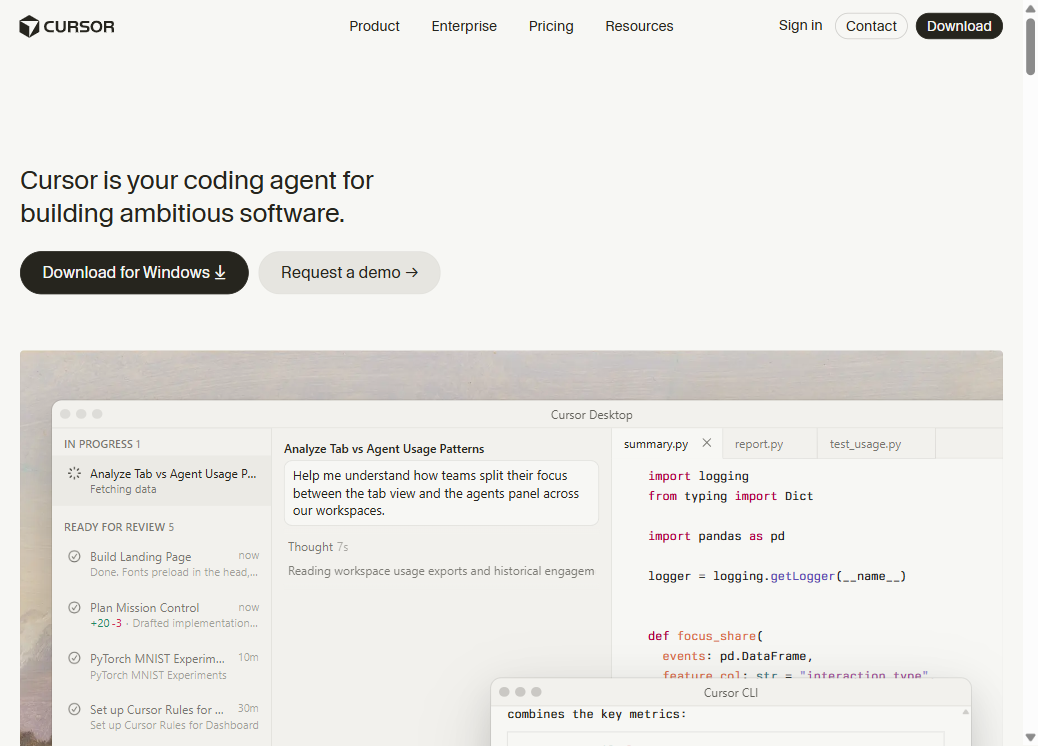
how we evaluated
We ran Cursor on three tasks in June 2026 using the Pro tier: (1) building a green-field React + Vite app from scratch, (2) fixing a bug in a 60k-line TypeScript monorepo we had not opened before, and (3) updating documentation across 12 interconnected files. We timed each session and noted where the tool hit limits, produced wrong output, or needed corrections. Model: Claude Sonnet (default at the time).
Cursor review — direct answer first. Yes, it is worth $20/month if you are a developer who builds in a codebase you know and wants the AI to act precisely on what you point at. If you want an AI that figures out which files to read on its own, you want Windsurf, not Cursor. The choice is a preference about control, not a ranking.
As of June 2026, Cursor reports over 500,000 paid developers (Cursor.com, June 2026) and is the most-discussed AI code editor in the space. We ran it on three tasks in June 2026: a green-field React app, a bug fix in a 60k-line TypeScript repo, and a documentation update across 12 files. Here is what actually changed, and where it broke.
Who Cursor is for — and who should skip it
Cursor is for developers who write real code every day in a codebase they know. It is a VS Code fork with an AI that reads only the files you explicitly tag. Three groups should skip it: developers wanting auto-context, JetBrains or Xcode users, and non-developers building apps from prompts.
Cursor is built for developers who write code daily and want AI woven into a familiar environment. If you already live in VS Code, the migration takes about 10 minutes: extensions, keybindings, and settings carry over. Then you get an AI that sees your whole project and can edit across files in a single prompt.
Three groups should skip it. First: developers who want automatic context — Cursor expects you to tag files manually; if that sounds like friction, Windsurf's Cascade indexes your repo automatically. Second: people who live in JetBrains or Xcode — Cursor has no plugin for those IDEs, you switch editors or you do not use it. Third: non-developers building throw-away prototypes from prompts — Bolt or Lovable fit that use case better without a local setup.
The @ context system: precision over automation
Cursor's @ context system gives you four reference types in chat: @filename, @folder, @docs, and @web. The model reads only what you tag — no automated scanning. This precision makes it faster on familiar code and slower on unfamiliar codebases (documented at cursor.com/docs).
This is the core design choice. In the chat window you type@filename,@folder,@docs, or@webto control exactly what the model reads. The AI never touches files you did not tag.
On the 60k-line TypeScript repo, this precision was a bottleneck. We spent 4 minutes hunting the right file before we could even write the prompt. Once we found it, the output was narrow and clean — it touched exactly the three functions we tagged, nothing adjacent. That trade-off is real: more upfront hunting, fewer unintended side-effects. On the green-field app we wrote ourselves, @ was instant. We knew every file. Prompts were specific, iterations took seconds.
Composer and Agent mode: what changes in practice
Cursor Composer handles multi-file edits from one prompt: it plans the changes, shows a unified diff across all affected files, and applies only when you approve. Agent mode adds shell access — it installs packages, runs commands, and self-corrects on errors. In our June 2026 testing, a 12-file documentation update took 8 minutes vs 45 minutes manually.
Composer is Cursor's multi-file editor. One instruction, multiple files, unified diff, applied on your approval. For the 12-file documentation update, Composer cut the task from 45 minutes to 8. Every change was correct on the first try. That is the best case — reproducible on well-scoped tasks with clear context.
Agent mode extends Composer with a shell. It runs terminal commands, installs packages, and self-corrects on errors. On the green-field React app, Agent mode initialized Vite, installed dependencies, and wrote the first three components without a back-and-forth. When a TypeScript error appeared, it fixed it on the next turn. This is where the 90-minute-per-day saving becomes credible.
The diff-then-approve pattern distinguishes Cursor from tools that write to disk first. You never get a surprise. Every change is a PR you can accept, reject, or modify before it lands.
Rules files: the most skipped feature
A Cursor rules file — AGENTS.md or .cursorrules at your repo root — is a plain-text file that stands as a permanent instruction for every AI session. Your stack, naming conventions, and code style, applied automatically from prompt one. Most developers skip it; those who use it say it is the single highest-leverage setup step.
Drop a file called AGENTS.md or.cursorrules at your repo root and Cursor reads it as a standing instruction for every session. Your tech stack, naming conventions, libraries to avoid, error-handling style — all in plain English, applied without you retyping it each time.
Without a rules file, every session starts blank. With one, Cursor writes in your style from prompt one. The community maintains hundreds of public rules files for Next.js, SvelteKit, FastAPI, Django and more atcursor.directory — adapt one in 5 minutes. This is the highest-leverage 15 minutes you can spend on setup.
Pricing and what actually limits you
As of June 2026, Cursor has three tiers: Hobby (free — 2,000 completions, 50 slow requests/month), Pro ($20/month — unlimited fast requests), and Business ($40/user/month — SSO, privacy controls). Most developers upgrade when they hit the Hobby ceiling, typically within the first week of daily agent use. Source: cursor.com/pricing, June 2026.
As of June 2026, Cursor runs three tiers. The Hobby tier is free: 2,000 completions per month and 50 slow AI requests. Most developers hit this ceiling within a week of regular agent use. Pro at $20/month unlocks unlimited fast requests and is where most working developers land. Business tier adds SSO, centralized billing, and the data isolation appropriate for team use.
The number that matters is not the $20 monthly fee — it is the agent request limit. A heavy Composer and Agent day can burn through the allowance faster than you expect. Watch your usage in the first week on Pro. If you hit walls regularly, the cost is justified; if you do not, the free tier may be enough. Pricing rules have shifted before — always verify on theofficial Cursor pricing pagebefore committing.
Cursor vs the alternatives
The four tools developers compare Cursor to serve different use cases. Here is where each wins as of June 2026.
| Cursor | Windsurf | Copilot | Claude Code | |
|---|---|---|---|---|
| Type | VS Code fork | VS Code fork + 40+ IDEs | VS Code plugin | Terminal CLI |
| Context | Manual @-mentions | Auto (Cascade) | Auto (open files) | Whole-repo (1 M tokens) |
| Agent | Composer + Agent mode | Cascade agent | Copilot Workspace | CLI agent |
| Price | $20/mo Pro | $15/mo Pro | $10/mo Individual | $20/mo (Claude Pro) |
| Free tier | Yes — limited | Yes — limited | Yes (VS Code) | Yes — limited |
| Best for | Devs who know their code | Large / unfamiliar repos | Staying in your editor | Complex multi-file reasoning |
Prices as of June 2026 — verify on official sites before buying.
Where Cursor costs you time
Six situations where the tool works against you:
- 01
Unfamiliar large repos
If you do not know which files matter, you spend more time hunting context than you save by prompting. Windsurf's Cascade auto-indexes and finds the right files for you — use it instead.
- 02
Messy, undocumented codebases
Cursor reflects what you give it. No types, no docs, no rules file — vague input gets vague output. The AI is not a code archaeologist.
- 03
JetBrains or Xcode users
There is no Cursor plugin for those IDEs. You switch the editor or you do not use Cursor, full stop.
- 04
Agent request limits mid-sprint
On the most intense days, Pro users can hit the ceiling before lunch. Throttle agent use on busy days or upgrade to Business — a real friction point, not a dealbreaker.
- 05
Non-code linked assets
Cursor reads files in your repo, not linked Figma designs or Notion docs. If your workflow crosses tool boundaries, the @ system does not help you there.
- 06
Code you never read
Cursor is fast enough to let you generate code you do not understand. That debt surfaces at the worst times. Use the diff review as a reading step, not a rubber stamp.
Should you switch to Cursor?
Three questions, one recommendation.
Verdict
Cursor is the best AI code editor for developers who know their codebase and want to stay in control of what the AI touches. The @ system rewards familiarity. Composer makes multi-file work fast. A rules file makes every session consistent. At $20/month, the value is clear if you hit the Hobby limits within a week — and most active developers do.
Start on the free tier. Run it on a real codebase for 5 days. If you hit the 50-request ceiling, upgrade. If you do not, stay free. The editor migration takes 10 minutes and is fully reversible — you lose nothing by trying.
try cursor free
2,000 completions and 50 agent requests — enough to know if the workflow fits your style.
Start free on Cursor →FAQ
Is Cursor worth $20 a month in 2026?
For a developer who regularly uses Composer and Agent mode, yes — most users report saving 1–2 hours per day on routine work. If you write code mostly by hand and rarely trigger the agent, the free Hobby tier (2,000 completions, 50 slow requests/month) is enough. Start free, upgrade only when you hit the ceiling consistently.
Does Cursor work with my existing VS Code extensions?
Yes. Cursor is a VS Code fork, so the vast majority of extensions, themes, and keybindings carry over. The main exceptions are extensions that hook into VS Code internals at a specific version — rare in practice. Most developers migrate their full setup in under 10 minutes.
What is a Cursor rules file and do I need one?
A rules file — AGENTS.md or .cursorrules at your repo root — is a plain-text file that tells Cursor's AI your conventions: tech stack, naming rules, what to avoid. Without one, Cursor guesses from context. With one, it follows your house style from the first prompt. If you work on the same codebase regularly, a 15-minute rules file investment pays back on every edit thereafter.
How does Cursor compare to GitHub Copilot?
Copilot ($10/mo individual) adds AI autocomplete and chat to VS Code without replacing the editor. Cursor replaces the editor itself, giving the AI deeper codebase access, Composer for multi-file edits, and Agent mode that runs terminal commands. Cursor wins on agent capability; Copilot wins on price and keeping your existing editor.
Is Cursor safe to use with proprietary code?
Cursor ships a Privacy Mode that prevents your code from being used in model training and keeps it off their servers. Business plan customers get additional data isolation and a DPA. Check your company's IP policy against Cursor's data processing agreement before onboarding your codebase — most teams clear it once they read the actual terms.
What languages and frameworks does Cursor support?
Cursor is language-agnostic: JavaScript, TypeScript, Python, Go, Rust, Java, C++, and more all work. Framework support is context-dependent — the AI performs better when you tag config files and add a rules file specifying your stack. The Cursor community maintains public rules files for Next.js, SvelteKit, FastAPI, and Django that you can adapt in 5 minutes.
Cursor head-to-head
See where Cursor ranks in best AI code editors, compare all options at AI coding tool reviews, or read how we built the same app in all 5 tools.